Financial control without ERP complexity

Income, expenses and operations in one clear view. Organize your accounts, track results and use AI to support decisions — without ERP complexity.

Create free account
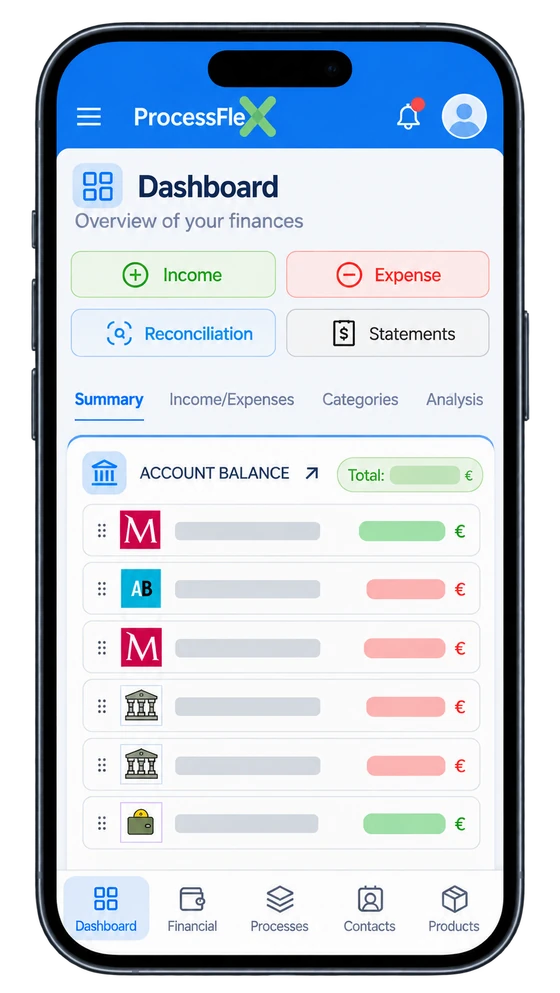
ProcessFlex financial dashboard

Your finances at a glance

Daily transactions

  • Set recurring income and expense rules to automate future entries
  • Link transactions to clients or projects
  • Finance connected to decisions — purchases, quotations and sales reflect directly in your financial view

Accounts and organization

  • Work with multiple currencies while keeping financial clarity
  • Manage multiple accounts and cost centers easily
  • Organize revenues and expenses with a simple account structure

Reports and decisions

  • Create reports focused on what matters to your business
  • Create and save custom filters for quick access

AI assistant for financial analysis

Ask questions about your numbers and get answers based on your active report filters. Save useful questions to repeat your analysis.

  • Analyze income, expenses, and balance trends
  • Highlight critical cost centers and account plans
  • Suggest where to reduce costs with less impact
  • Explain charts and financial reports in plain language
  • Reuse saved questions to compare different periods faster
  • Support planning meetings with objective financial context

Suggested examples: average expense in the period, projection for next period, most critical categories, and cost reduction opportunities.

How the analysis works

Ask direct questions about your current numbers and receive quick insights based on your active report filters.

The assistant helps you read your financial data, identify risks, and spot opportunities with more clarity.

It works with the same filtered context you are already using in reports, which keeps each answer aligned with your current analysis.

You can also save useful questions to quickly repeat strategic analyses in future reviews.
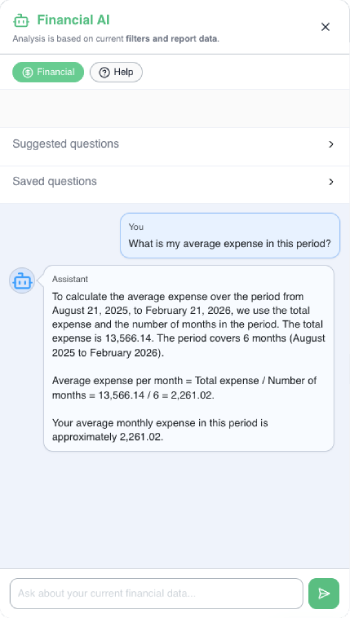
AI assistant for financial analysis

AI-powered document analysis

AI + Purchasing with receipt reading

In purchase mode, AI reads the receipt and prepares the process with supplier and items for confirmation.

This reduces manual work and improves consistency in daily purchase records.

  • Extracts supplier, items, quantity and price
  • Flags existing records to avoid duplicates
  • Creates the process and opens edit mode to continue the normal flow

Bank reconciliation with AI

Post and review dozens of bank statement records at once.

Let AI identify, match, and classify each statement occurrence against your ProcessFlex records. Review the suggestions and stay in control before confirming the reconciliation.
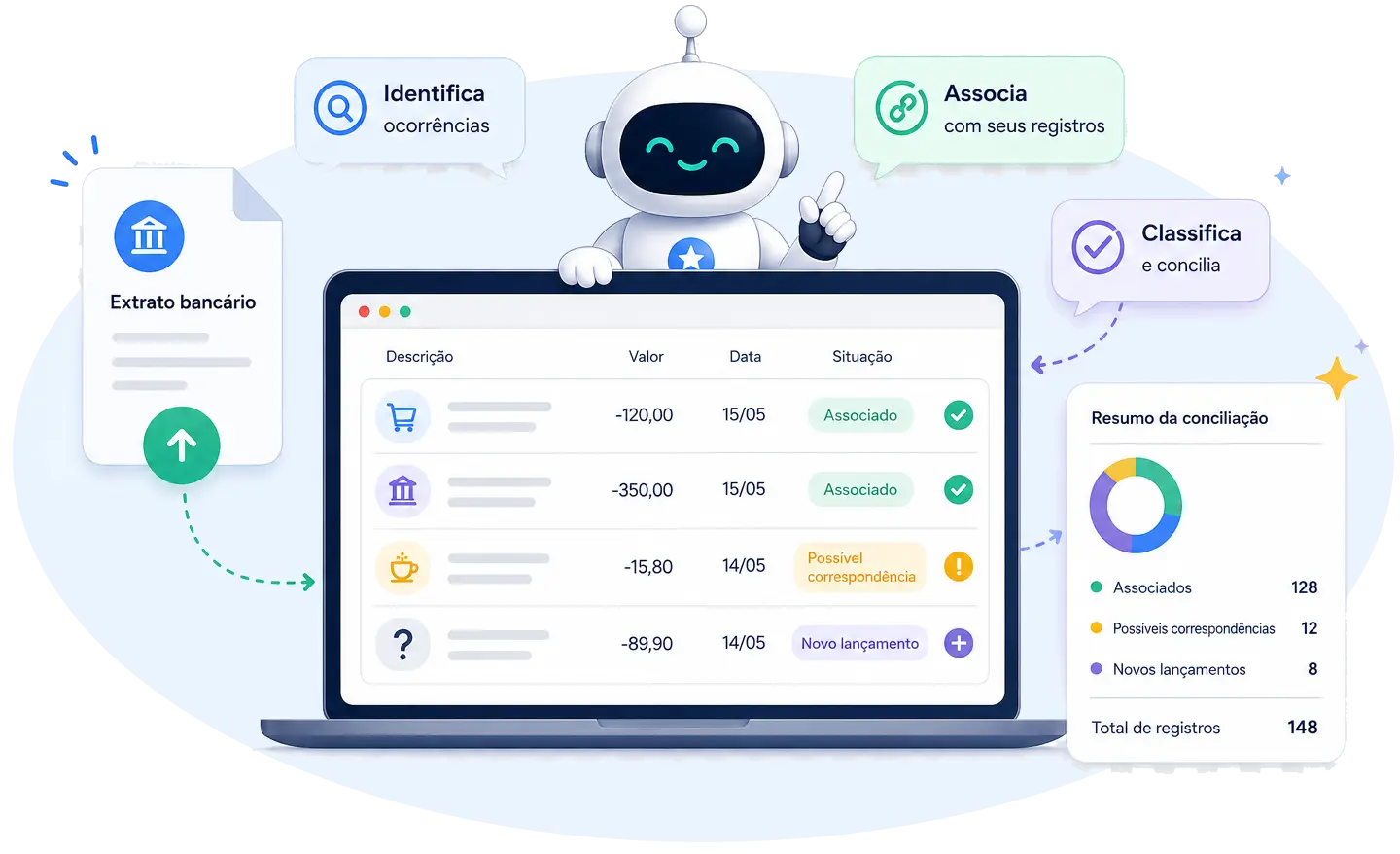
ProcessFlex AI identifying, matching, and classifying bank statement transactions.
Create free account PDF, OFX, XLSX, CSV, image, or a written list.
Save timeReconcile many entries in just a few clicks.
More accuracyAI reduces errors and finds matches more reliably.
More controlSee what is matched, what needs attention, and which entries are new.
Better decisionsOrganized data for safer, more strategic financial management.
Comparativo

Escolha o plano ideal

Compare limites, recursos incluídos e extras do plano.

Business I

€ 30,00
Users *
1 user
2 *
5 *
Bank accounts
up to 2
up to 5
No limits
Cost centers
up to 20
No limits
No limits
Chart of accounts
up to 20
No limits
No limits
Tags
up to 20
No limits
No limits
Profiles
up to 100
No limits
No limits
Processes
up to 100
No limits
No limits
Financial records / month
up to 60
No limits
No limits
AI analyses / month
50/month
1000/month
6000/month
Storage
10 MB
100 MB
200 MB
Inventory management
—
Branches
—
—
Optional tax module
—
—
—
Cash flow
Income statement (P&L)
Break-even point
Revenue vs. expenses
Multi-account statements
Financial calendar
AI reconciliation
AI receipt reading
AI analysis & projections
Profiles registry
Process flows

* On paid plans, you can add more users. Each additional user proportionally increases the plan's monthly price.